
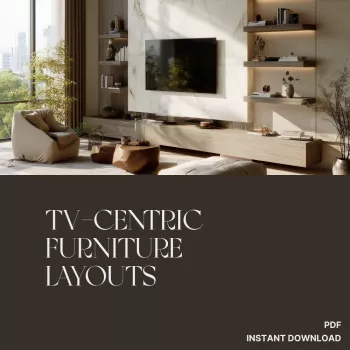
TV-Centric Furniture Layouts: Comfort, Flow, Style

Mastering the Art of TV-Centric Furniture Layouts: Comfort-First Rooms That Still Look Styled
TV-centered rooms can feel instantly inviting—or instantly awkward. The difference usually comes down to three things: sightlines, spacing, and flow. Our team uses a practical, designer-friendly method to arrange furniture around a TV so your room feels comfortable for real life, polished for everyday, and flexible for entertaining.
Start with the room’s “prime seat” and real-life habits
Before you move a single piece, decide what “success” looks like in your home. A room built for nightly streaming has different priorities than a room built for game-day crowds or casual background TV while you host.
- Identify the primary use: streaming, sports, gaming, mixed use, or “on in the background.” This decides how strict your viewing axis needs to be.
- Choose the prime seat: the spot you use most often. Build the layout outward from that seat instead of centering everything on the TV by default.
- List non-negotiables: number of seats, whether feet-up lounging matters, and whether conversation should matter as much as viewing.
- Decide what must stay visible: a fireplace, entry, windows, kids’ play corner, or the dining table in an open plan.
If you want a repeatable method you can use room-to-room, we built Mastering the Art of TV-Centric Furniture Layouts (eBook) as a step-by-step reset you can come back to any time your space shifts.
TV placement that supports comfort, not clutter
The best TV placement isn’t the one that looks most symmetrical on day one—it’s the one that keeps your neck relaxed and your walkways clear on day 100.
- Face the main seating zone: the screen should meet your sightline from the prime seat without twisting or perching.
- Avoid “high TV syndrome” when possible: if mounting above a fireplace is the only option, plan a compensation like lower seating, a pull-down mount, or a secondary viewing spot elsewhere.
- Style the TV wall like a focal wall with a job: balance the screen with storage, a longer console, or flanking decor so the room doesn’t feel like it’s orbiting a black rectangle.
- Plan glare early: if the TV faces windows, add light control (drapery/shades) and angle seating slightly so reflections don’t dominate.
For home tech best practices and installation considerations, it helps to browse guidance from organizations like CEDIA (home technology design and integration).
Distances, angles, and a simple viewing comfort guide
There’s no single “perfect” distance, but there is a comfort range. Screen size, resolution, and personal preference all shift the sweet spot. Use ranges as a starting point, then fine-tune based on how you actually relax.
| TV size | Comfort range (approx.) | Best use notes |
|---|---|---|
| 43–50 in | 5–7.5 ft | Great for small living rooms, bedrooms, and tighter seating groups |
| 55–65 in | 6.5–9.5 ft | Most common sweet spot for mixed-use living rooms |
| 70–75 in | 8–11 ft | Works best when the sofa can sit farther back without blocking walkways |
| 85+ in | 9.5–13+ ft | Ideal for dedicated media zones or large open plans with controlled glare |
- Favor gentle arcs over rigid rows: slight angles help off-center seats stay comfortable without forcing head turns.
- Keep the coffee table from becoming a barrier: choose a size that supports snacks and remotes without pushing seating too far back.
- Use swivels strategically: swivel or lightweight accent chairs let secondary viewers align to the TV, then rotate back to conversation.
For deeper standards around viewing conditions and motion imaging, you can also reference SMPTE (Society of Motion Picture and Television Engineers).
Layout shapes that keep the room social (even with the TV on)
A TV-centric room can still feel conversational when you choose a shape that supports both viewing and face-to-face moments.
- L-shaped zone: sofa plus two chairs (or a sectional). Add one swivel chair if your room needs to switch between “watch mode” and “talk mode.”
- U-shaped zone: ideal for families and frequent hosting. Keep the open side aligned with circulation so people can enter without cutting across the screen.
- Floating furniture: pulling the sofa off the wall often improves sightlines and prevents the “waiting room” effect—especially in long, narrow rooms.
- Two-zone rooms: in open plans, define a TV zone and a secondary zone (reading, play, or dining) using a rug, lighting, and smart console placement.
Clearances that make the layout feel effortless
Even a beautiful layout feels “off” if daily movement is cramped. Prioritize circulation the same way you prioritize the screen.
If you want a simple way to keep your setup from drifting over time, pair your layout with our Home Layout Checklist (Digital Download)—it’s built for quick resets after real life nudges everything out of place.
Styling and lighting: make the TV wall look intentional
For a calmer, mood-forward approach to finishing touches, our team also recommends Turning Any Space into a Relaxing Retreat (Digital Guide) to help you build lighting, texture, and comfort into the room once the big pieces are placed.
Fast layout recipes for common spaces
Small living room
Open-plan living/dining
Bedroom TV setup
Awkward corners
FAQ
Does a TV-centric layout still work in a small living room?
Yes. Keep one clear viewing axis, choose slim-scale pieces, and use angled or swivel seating to add flexibility without adding bulk.
Is it better to mount the TV or use a media console?
Either works. Mounting can free surface space and reduce tip risk, while a console can improve proportions and provide storage; the best choice depends on viewing height, glare, and device needs.
How can glare be reduced without rearranging the whole room?
Add light control at windows, shift seating slightly off-axis, use lamps and dimmers instead of bright overhead lighting, and consider bias lighting behind the TV to reduce perceived contrast.



Leave a comment